PARIS User Help Help Center home page
  1. PARIS User Help
  2. Browse by Table of Contents
  3. Login & Navigate PARIS
  4. PARIS Navigation

Articles in this section

  • Recommended Windows Display settings for PARIS
  • How to Magnify (Zoom) your PARIS Screen
  • Client Banner
  • Keyboard Shortcuts
  • Navigation Buttons
  • Get to PARIS Applications
  • Organize the Options Tree
  • PARIS Navigation

Client Banner

  • January 24, 2023 20:06
  • Updated

The Client banner appears at the top of your screen when you have a client open:

1.gif

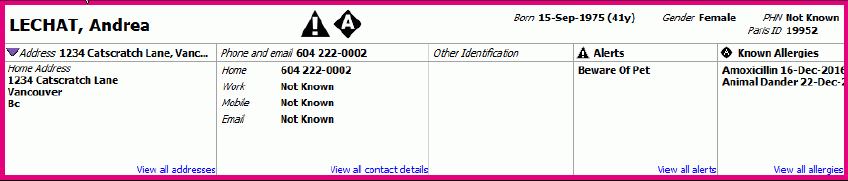
Click on the expand icon 2.png or click anywhere on the row to expand the to reveal more information regarding the client:
3.gif

Related Links

Add Allergies from Client Banner
Add Alert from Client Banner

Return to top
PARIS User Help
Admin