Steps to Magnify your PARIS Screen
1. Open PARIS
2. Press the Windows logo key and the + icon on your keyboard

3. The Magnifier window will appear
4. By default your entire screen will be magnified. At any time you can change your view by clicking on Views.
- To magnify a section/specific area of your screen, select Lens
- To magnify your entire screen, select Full Screen
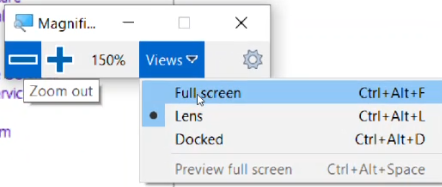
5. You can then press the + or – to magnify more or less on your screen
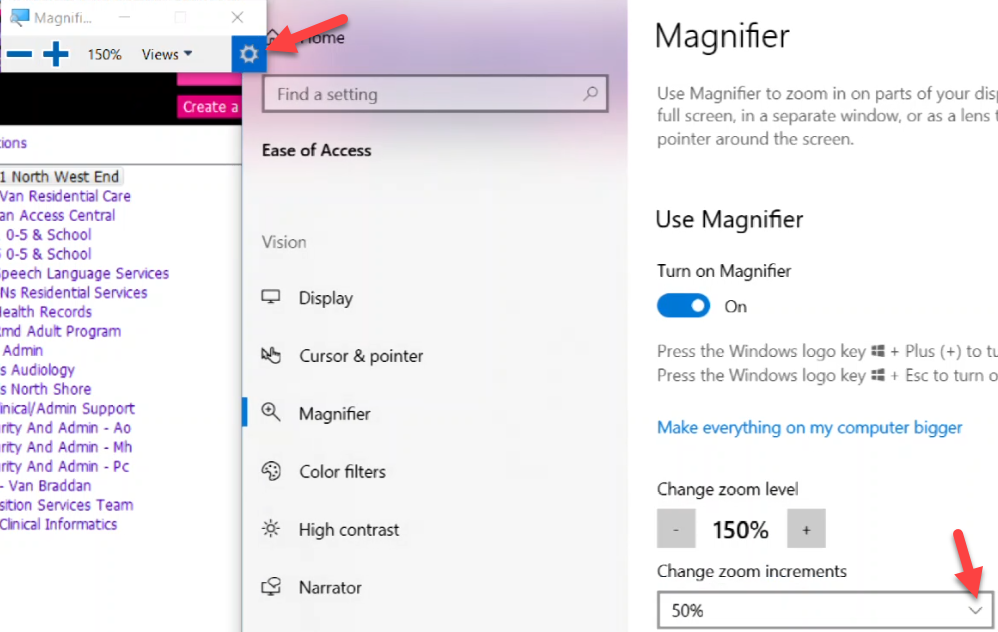
6. If you want to change the magnifier increments, click the cog wheel beside views
Resources
2 Video
Alternate searches: too small, hard to see