The error correction process in Nursing Priority Screening is different than other PARIS grids. Errors are recorded per question, and the screening row cannot be marked as an error entirely. Please contact your Team Lead or PH Clinical Systems Educators for complex error cases.
 TIP: If you need to verify what the previous answer was, review the most recent row in the Nursing Priority Screening Version History And Error Correction section. You can also use the Print button to generate the screening form and historic versions. Since the report generates all historic versions, it will be useful to review the changes in the erroneous answer over time, especially if the erroneous entry was not done today.
Error Correction Steps
1. Highlight the in progress screening form in the Nursing Priority Screening (July 11th, 2022 And Onwards) section and click Continue. If Continue is grayed out, refer to Unlock Form
2. Keep your name in Assessed By. Press Ctrl + T to populate today’s date in Assessed Date. Choose appropriate answers from the drop-down fields. Save.
In this example below, 3b) and 3c) were corrected.
<Before correction>

<After correction>
3. Go to the Nursing Priority Screening Version History And Error Correction section. Double click on the section header to expand the section.
4. Highlight the row with the incorrect information. Click on Record error. The screening form will appear.
5. Click on the erroneous answer. The answer is now replaced with ENTERED IN ERROR. Apply the same step if there is more than one erroneous answer.
In this example below, 3b) and 3c) need to be marked as entered in error.
<Before correction>
<After correction>
6. Click Accept Changes. The Entered In Error message will appear. Write a brief reason that is less than 50 characters. Here are a few examples of the reason:
a. Updated birth weight to correct information
b. Incorrect answer entered. Corrected.
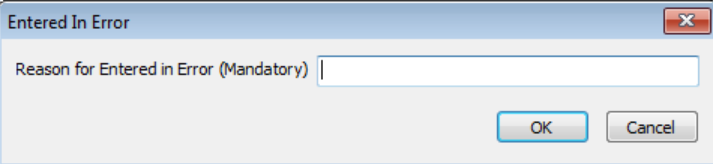
7. Click OK. Save.
When there is a correction(s) in the Version History and Error Correction grid, the Correction Exists checkbox will be ticked by the system.
