 TIP: Continue will become active when there is a screening that is in progress. If a tool was finalized in error and you need to edit the row to continue charting, please contact your Team Lead, PH Clinical Systems Educator or Paris Support. Refer to Unlock Form for more details.
1. Click Continue in the Nursing Priority Screening (July 11th, 2022 And Onwards) section and the entry form will appear.
2. Your name defaults to Assessed By. Update it if appropriate. Press Ctrl + T to populate today’s date or manually enter an appropriate date in Assessed Date. Enter answers using the drop-down fields.
For the answers that were previously recorded or updated, the staff name and the assessed date are displayed beside each question. Please note that your name and the assessed date will not be seen beside the questions you’ve entered answers on until the form is saved in the system.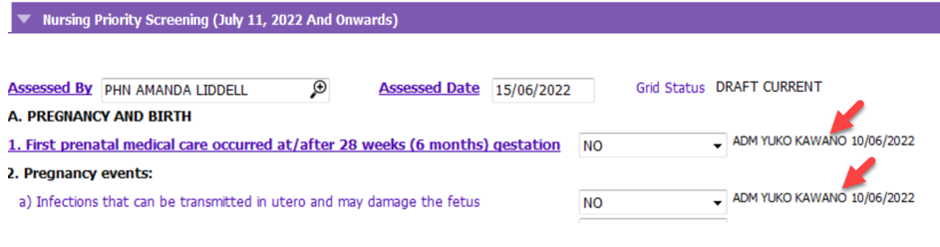
3. Once screening is complete and no further information will be recorded, scroll down to the bottom of the form and tick on Mark As Final. Once the checkbox is ticked on, the total score of the screening will be calculated. Please be aware that this is equivalent to signing off and completing the screening for the client.
If Mark As Final has been selected and deselected without saving in order to view the score, the TOTAL SCORE field will show as 0 until the form is finalized.
4. Click Accept Changes and Save.
The Status field is DRAFT CURRENT for the screening that is in progress/on-going. The form is still editable for continued charting. 
The status becomes FINAL if the screening is completed/signed off. The total score of the screening will display. The form will be locked to further edits. Insert a row will be active so a new tool can be initiated. Refer to Unlock Form if the form was finalized in error.