1. Click on Waitlist Application.
2. Select the appropriate waitlist.
3. Click on the client’s name in the Clients on Wait List grid
4. Click Modify row and the Waitlist Entry Details window appears:
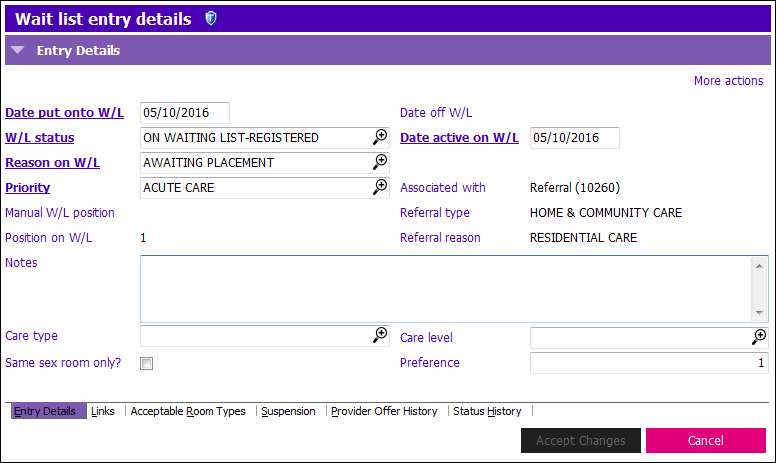
5. Click Suspension tab at bottom of W/L Entry Details window.
6. Click the grid row with current suspension, then click Modify row and update the following field:
- Suspended to: Enter the appropriate date

7. Click on Entry Details tab and update the following field:
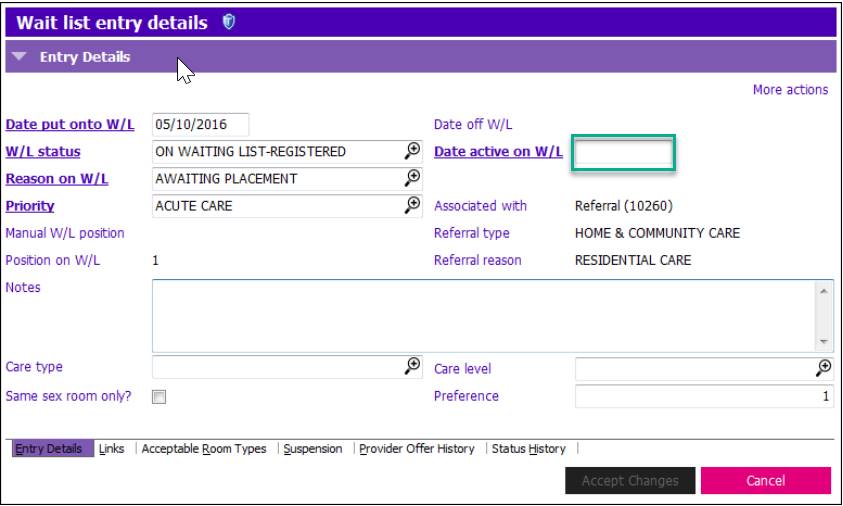
- Date Active on W/L: Enter same date as Suspended To - check your program guidelines
- Date Put Onto W/L remains the original date
- Date Active on W/L date becomes the new W/L calculation date
8. Click  .
.
9. Update Current Location Grid if applicable. Current Location grid is located in Clinical Summary and Central Index.