From Wait List
From Team Caseload
From Wait List:
1. Open the Waitlists/Offer tile from your Home Screen in PARIS
2. Click into Wait Lists
3. Click the drop down triangle to open the Wait Lists you have access to and select your respective waitlist you want to view. Your wait list will appear in the window.

4. Select your client

5. Your client will open into the Client Banner Bar. Click into their name to access their record and clinical documentation.

From Team Caseload:
1. Select Team Caseload from Shortcuts Menu
2. Select Team List

3. Open your PARIS team Tree and select Outstanding Referrals
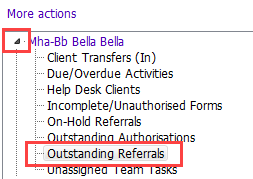
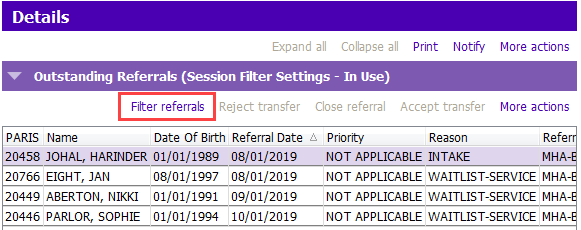
4. Select Filter referrals underneath the Outstanding Referrals
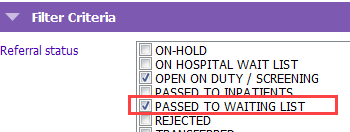
5. Tick Passed to Waiting List.
6. Select Permanent

7. Accept Change

Your Team Caseload Team List will now display all clients on the waitlist list.