There may be times when a screening tool needs to be discontinued without completion (e.g., lost contact). The Discontinued Administratively button will be used to discontinue the screening form. The button is available to Team Leads, PH Clinical Systems Educators and Paris Support. Contact Team Leads, PH Clinical Systems Educators or Paris Support if you have a screening form that needs to be discontinued.
The following steps will be processed by Team Leads, PH Clinical Systems Educators or Paris Support.
1. Highlight the row with DRAFT CURRENT status in the Nursing Priority Screening (July 11th, 2022 And Onwards) section.
2. Click on More actions. Choose the Discontinued administratively option from the list. The Confirm message will appear. 

3. Click Yes. The Reason message will appear. Write a brief reason that is less than 50 characters. Here are a few examples of the reason:
a. Client lost to contact
b. Not completed within clinically accepted timeframe
c. Form charted on wrong client
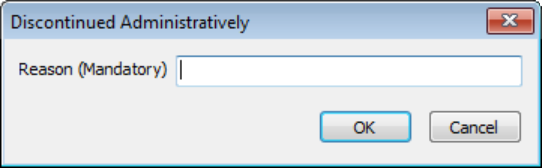
4. Click OK. The system will auto save the entry. The screening row will have the status of DISCONTINUED ADMINISTRATIVELY. Insert a row will now be active to allow initiating a new NPS tool. 