View Letter
1. Click on the Letters application.
2. Select the letter in the Stored Letters grid. NOTE: You can also view letter that have been run for the client in the Requested Letters section.
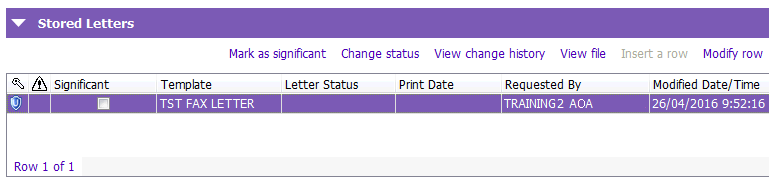
3. Click on the View file button. The letter will be displayed as read only.
4. To reprint the letter, click on the Print button.
5. Click Cancel to close the letter
Modify a Letter
1. Select the letter in the Stored Letters grid.
2. Click on the Modify row button.
3. The letter will be displayed, make the relevant changes.
4. Click on the Store button.