The Letter Status column in the Stored Letters grid should reflect the status of the document.
Status: Sent
This status is used when the letter has been sent. A letter may be generated and printed, but not actually mailed.
In the Letters application:
1. Select the letter, click the Change status button and the lookup window appears.
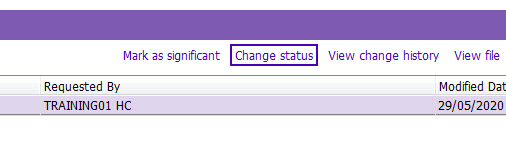
2. Double click Sent. The letter status now reads Sent