Outcome (End) Multiple Needs & Goals
End Multiple Interventions
End Entire Care Plan for Selected Team
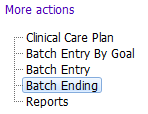

The Batch Ending form allows a user to record an outcome for one or more Goals, and end dates for one or more Interventions for their team, all at once, in a single form. As entries from all team members (and disciplines) are shown, ensure only the appropriate entries are completed.
A special feature in this form also allows a user to end the entire care plan all at once, without entering individual outcomes or end dates. However, this feature can only be used in certain circumstances: when the Client has died; Moved out of Health Area; or Declined Services. Even in these circumstances, if outcomes are known for certain Goals, enter those outcomes first and save, before choosing to “end the entire care plan”.
IMPORTANT:
- Be aware of program, site or discipline specific standards that may apply to how the Clinical Care Plan is ended.
- Clinical Care Plan is not tied to Referrals or Discharges in PARIS. So a referral can be discharged, while the client still has an active CCP. Therefore, it is the clinician’s responsibility to ensure their CCP entries are closed when a client is being discharged from service.
- Be careful using Batch End. When you save the form ALL the interventions you end dated and ALL the Needs & Goals you outcomed become inactive.
Outcome (End) Multiple Needs & Goals
Set the Outcome and Outcome date for each Goal you want to Outcome.
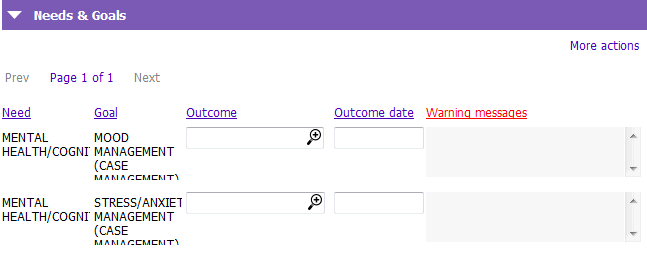
The Warning messages field will display a warning if recording an outcome to the specific Need & Goal will leave any Interventions not linked to any active Need & Goal.
End Multiple Interventions
Set an End Date for each Intervention you want to end.
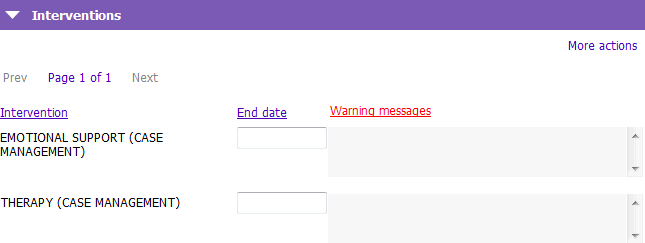
The Warning messages field will display a warning if recording an end date to the specific Intervention will leave any Needs & Goals not linked to any active Interventions.
End Entire Care Plan for Selected Team
In some cases you might use this form to end an entire team’s Care Plan at once however this will note record an Outcome for Goals.
NOTE: This function should only be used when the individual Goal Outcome or Intervention end dates DO NOT need to be recorded.
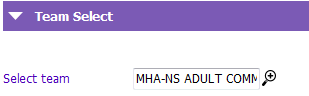
1. Select the team you belong to by clicking the  to launch the Owner key lookup window. Select your team.
2. Tick the End entire care plan for client for selected team. Should only be done if client has: died; moved out of health area; or declined service check box.

3. Select one of the following Reasons:
- Client declines services
- Client died
- Moved out of Health Area