Add Multiple Needs & Goals
Add Interventions
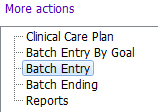

Although entering of all Clinical Care Plan information can be completed using the main Clinical Care Plan form, the batch entry forms provide easier entry of Needs, Goals and Interventions.
The Batch Entry form allows a user to enter either: one or more Needs & Goals; or one or more Interventions, all at once, in a single form.
For example, if a client is assessed and has several Needs (Home Health e.g. Medication, Instrumental ADLs, Pain Management) with respective Goals (e.g. Medication Reconciliation, Meal Management, Pain Control), you can easily enter all Needs & Goals at once using this form. You can then add interventions that will be linked to the Needs & Goals.

1. Enter your team.
The Batch Entry form is used one of two ways:

Add Multiple Needs & Goals
1. Tick the 'Add Needs & Goals' tick box. 
2. Enter the following fields:
- Date identified: Enter the date the Need & Goal was identified
- Need: Select the appropriate Need from the picklist
- Goal: Select the appropriate Goal from the picklist
- Discipline: Select the appropriate discipline from the picklist
3. Continue to add up to 10 Needs & Goals.
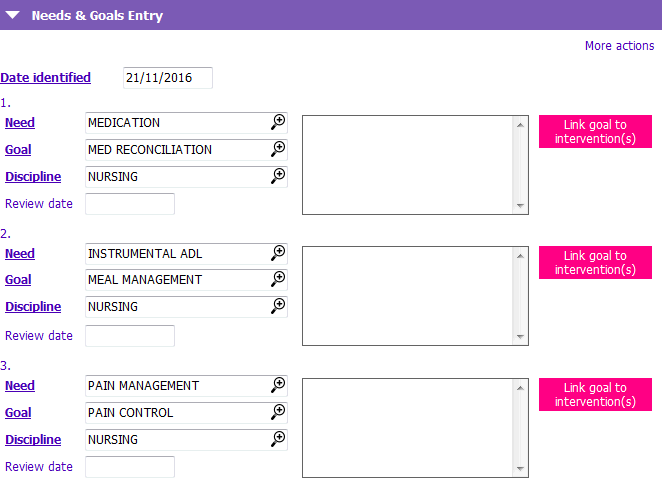
4. Save the form. The active Needs & Goals now display in the Active Care Plan Summary section.
You can then proceed to use the form to Add Interventions. If you are linking to existing Interventions you can link one or more Interventions to any of the Needs & Goals by clicking 
Add Interventions
NOTE: To use this form effectively, ensure you have entered all Needs & Goals first before entering Interventions so that all appropriate links can be made.
1. Tick the Add Interventions tick box.
2. Enter up to 10 Interventions. You must now link the Interventions before you can Save.
3. Beside each Intervention you just added, click the  button. The Link goals window appears.
4. For each Intervention, select one or more Needs & Goals you wish to link the Intervention to and click Select.
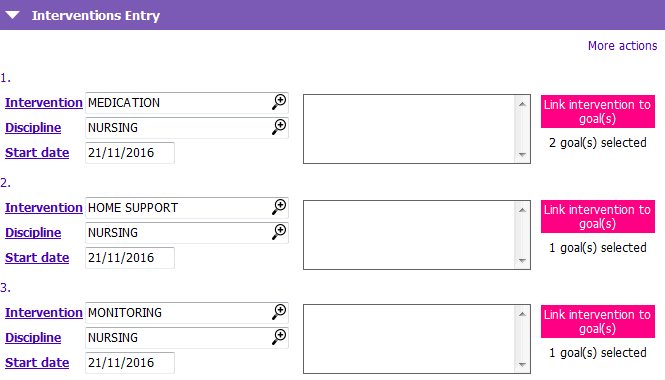
5. Click Save. The linked Interventions you just created are now visible in the Active Care Plan Summary section.