Create NEW Need & Goal
Select EXISTING Need & Goal
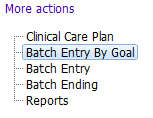

Although entering of all Clinical Care Plan information can be completed using the main Clinical Care Plan form, the batch entry forms provide easier entry of Needs, Goals and Interventions.

The Batch Entry by Goal form allows a user to enter a NEW, or select an EXISTING Need & Goal, and enter multiple Interventions, all at once, in a single form. All Interventions entered in the form are automatically linked to one Need & Goal.
NOTE: Only 5 Interventions are initially visible to be entered. Under the 5th intervention you can click the  button and 5 more places where Interventions can be entered become available.
The Batch Entry By Goal form is used one of two ways:

Create NEW Need & Goal
To create a NEW Need & Goal with up to ten linked Interventions.
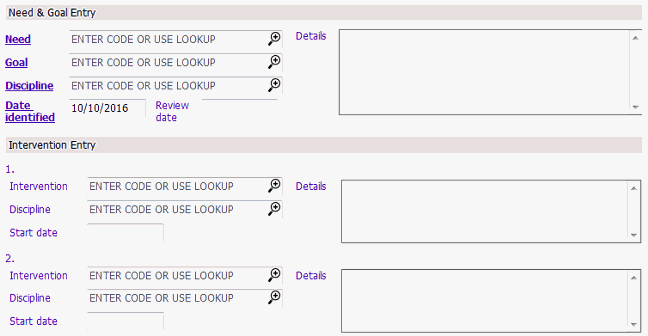
1. Select your team.
2. Tick the Create NEW Need & Goal tick box.
3. Complete the Need & Goals Entry section.
4. Enter up to ten Interventions that will be linked to the new Need & Goal.
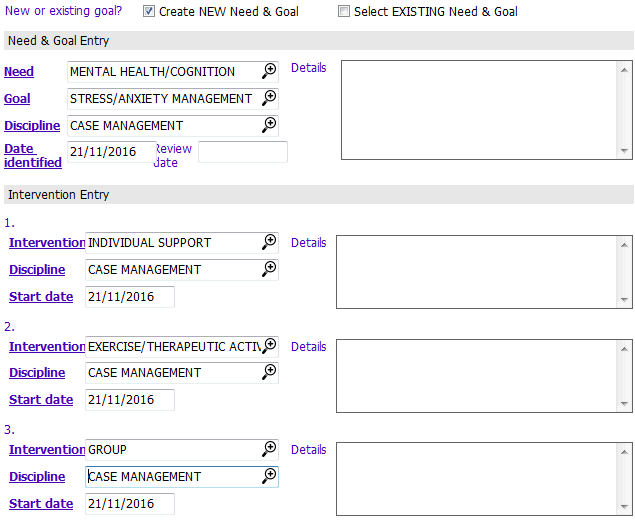
5. Save the Batch Entry by Goal form. The new entries display in the Active Care Plan Summary section.
Select EXISTING Need & Goal
When you have a Need & Goal already created, you can select the Need & Goal and create up to ten linked Interventions.
1. Select your team.
2. Tick the Select EXISTING Need & Goal tick box. The information about the Need & Goal displays.
3. Enter up to ten Interventions that will be linked to the existing Need & Goal.
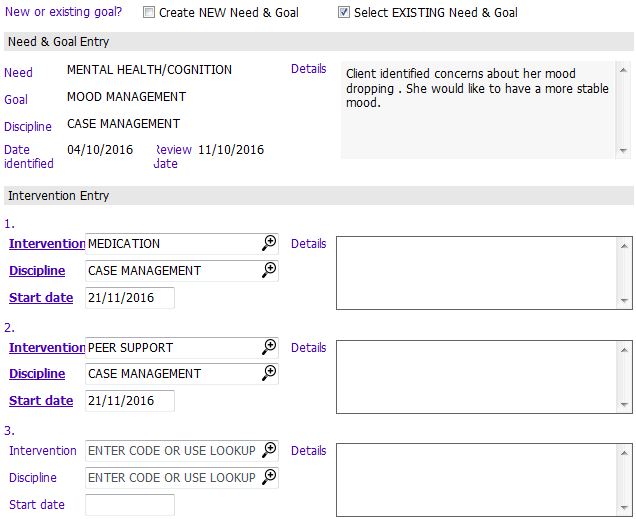
4. Save the Batch Entry by Goal form. The newly added linked Interventions now display in the Active Care Plan Summary section.