Booking a Non-Client Appointment may be done by a PA or Clinician.
1. Select time slot to book and right click in the time slot:

2. Select Book Non-Client Appointment @ [Time selected]. The Nonclient Appointment window will appear:
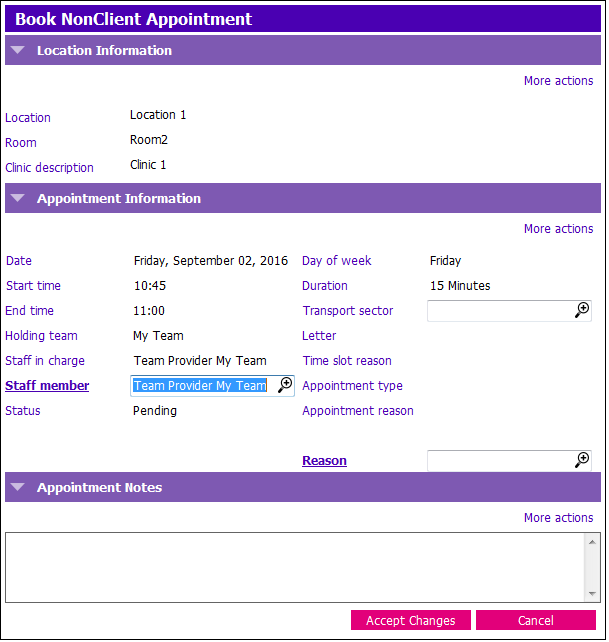
3. Verify Client information and select reason for non-client appointment:
- Reason: Click the
 a select one of the following reasons: Admin time, Flu Clinic, Not Available, Staff Break, Tentative Appt
4. Add notes in the Appointment Notes Section:
- Name of Client if Tentative
- Details for any other non-client apt notes
- Your initials, (Ctrl + T)
5. Click Accept Changes.
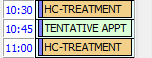
6. Non-Client appointment will now display:
7. Repeat for other types of Non-Client appointments