The Discharge date may not be known at the time that the Occupancy Admission date was entered. Once the discharge date is known, it is entered in the original Intervention.
1. Go to the Plan application and click on More Actions to expand the tree. Click on the Referral that requires an Intervention (always work from the Referral View).
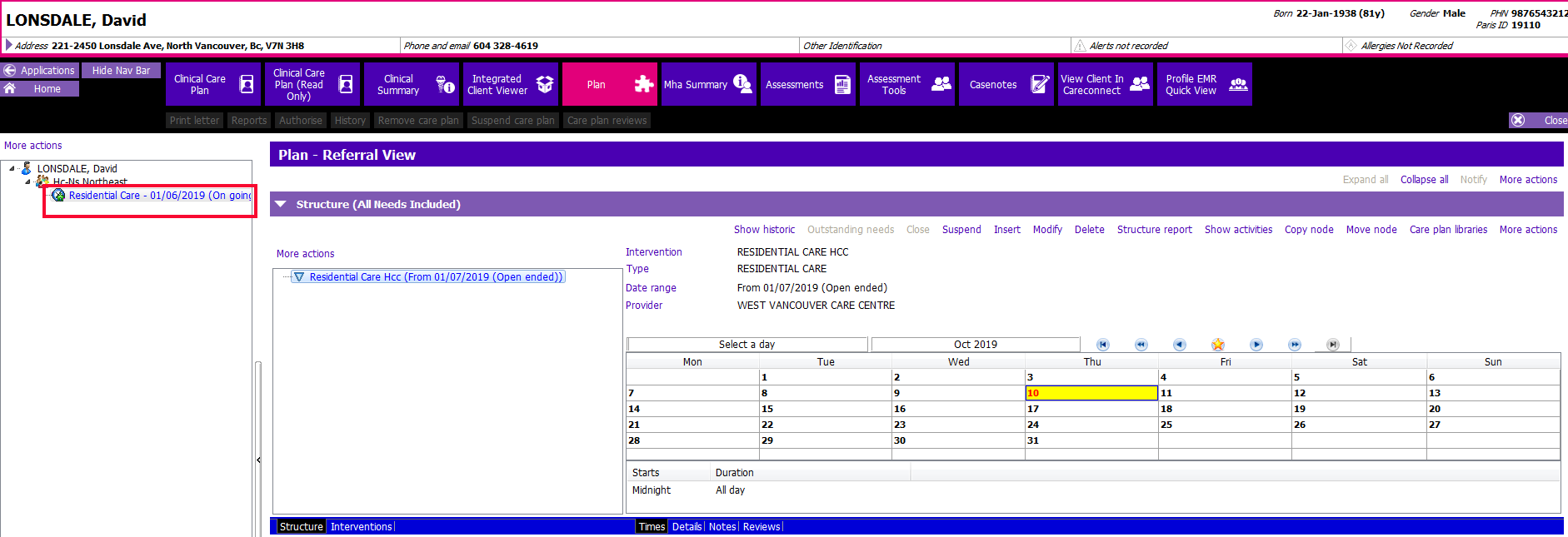
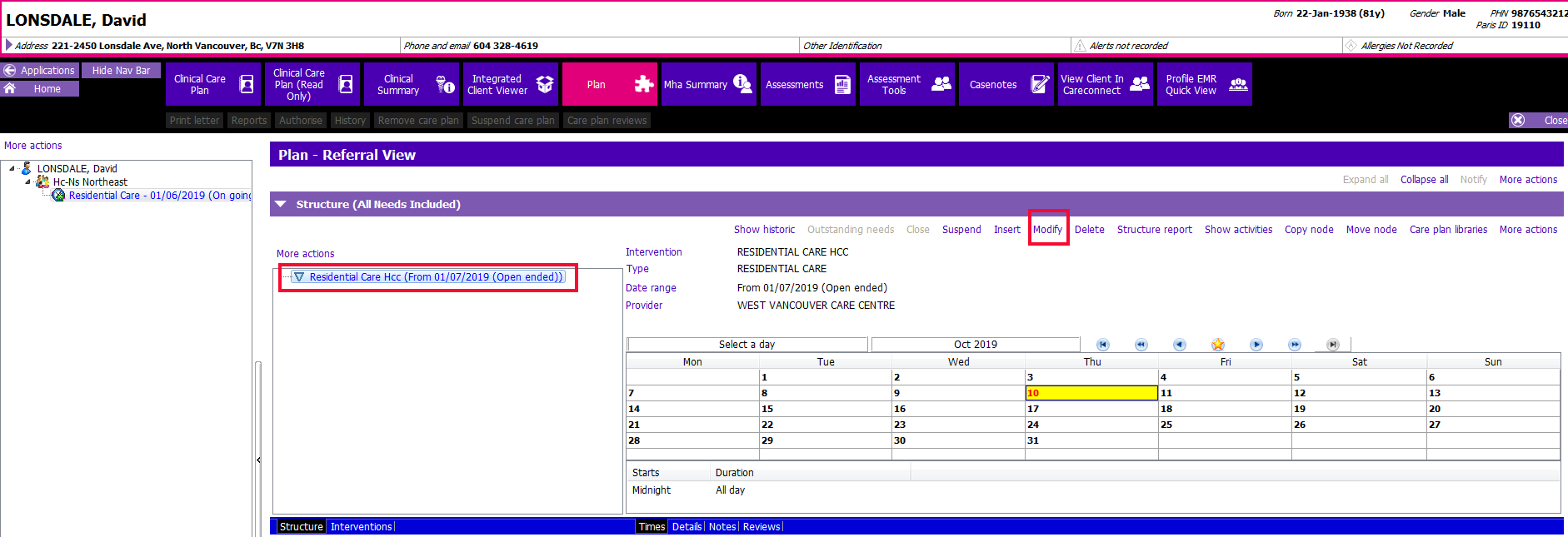
2. In the Historic Structure section, highlight the Occupancy Intervention that requires an end date and click Modify.
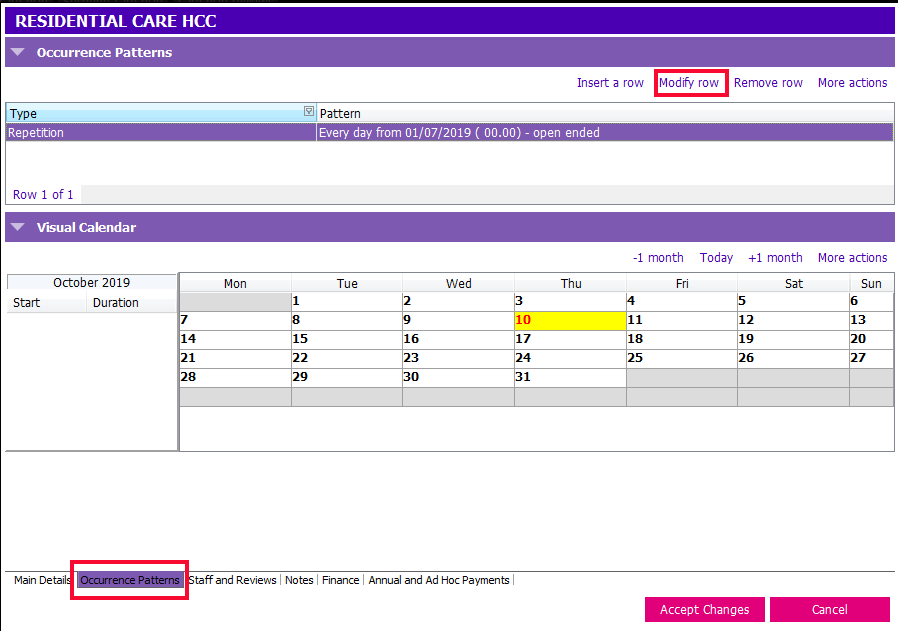
3. Click on the Occurrence Patterns tab at the bottom of the page. The Occurrence Patterns page will display. Click on Modify row.
4. In the Repetition specification fields, uncheck the Open ended box.
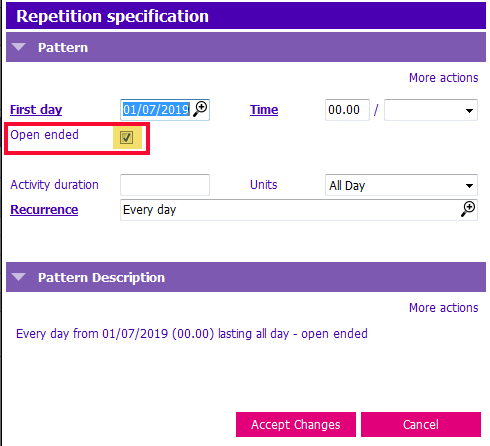
5. The Last date field will appear. Enter the discharge date in this field to exactly match the information found in the facility occupancy record.
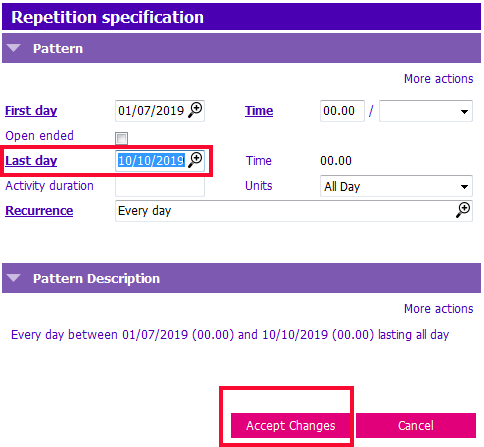
6. Accept Changes. Accept Changes. Save.