Entry of an Initial Intervention
Enter Subsequent ADP Service Orders
At the end of every month an attendance Occupancy Report is sent by individual ADPs to designated individuals to enter Financial ADP Interventions into PARIS (this is not a PARIS report). This report summarizes the number of days each month that each unique client attended the ADP.
Entry of an Initial Intervention
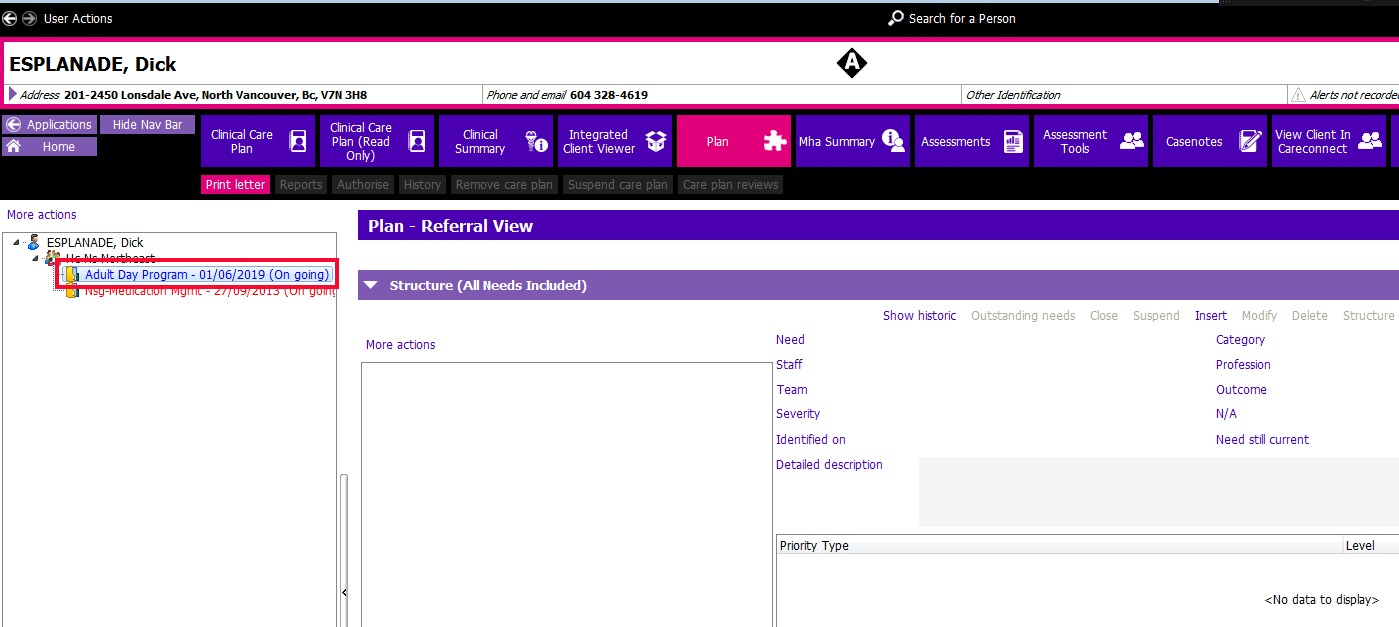
1. Go to the Plan application and click on More Actions to expand the tree. Click on the Adult Day Program Referral (always work from the Referral View). If there hasn’t already been an Intervention entered, the referral will appear red.
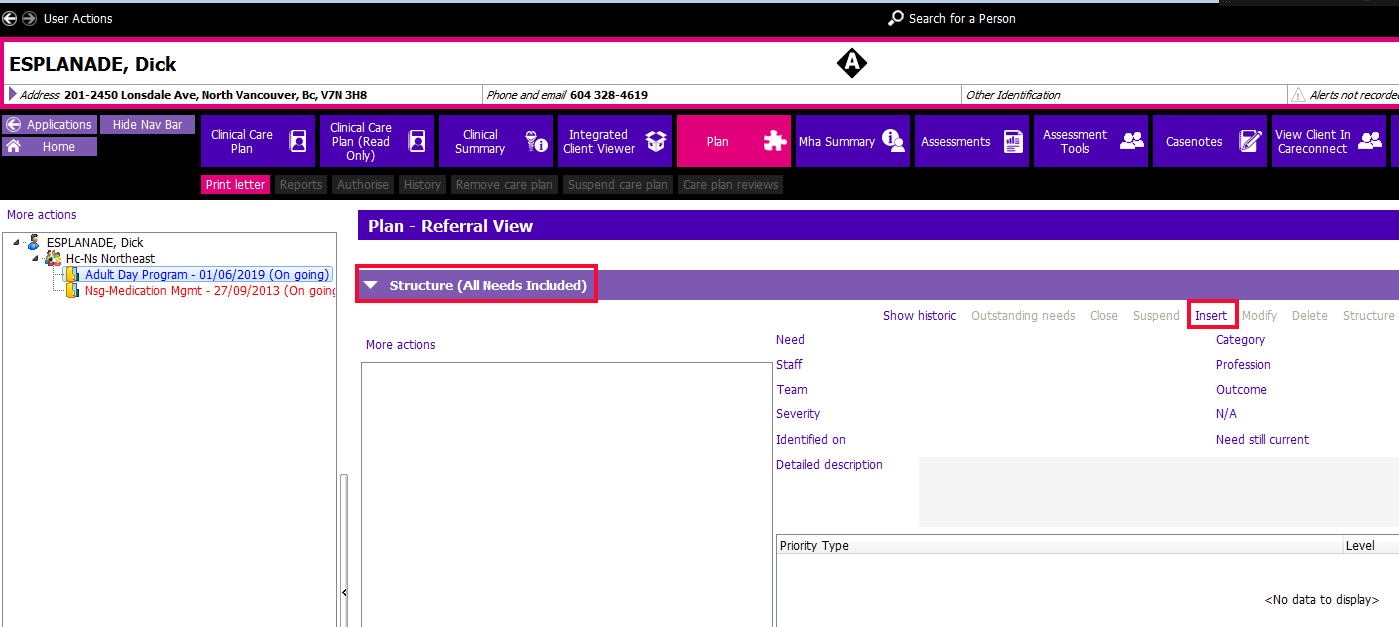
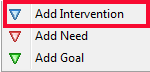
2. Click the Insert button in the Structure section and select 'Add Intervention'
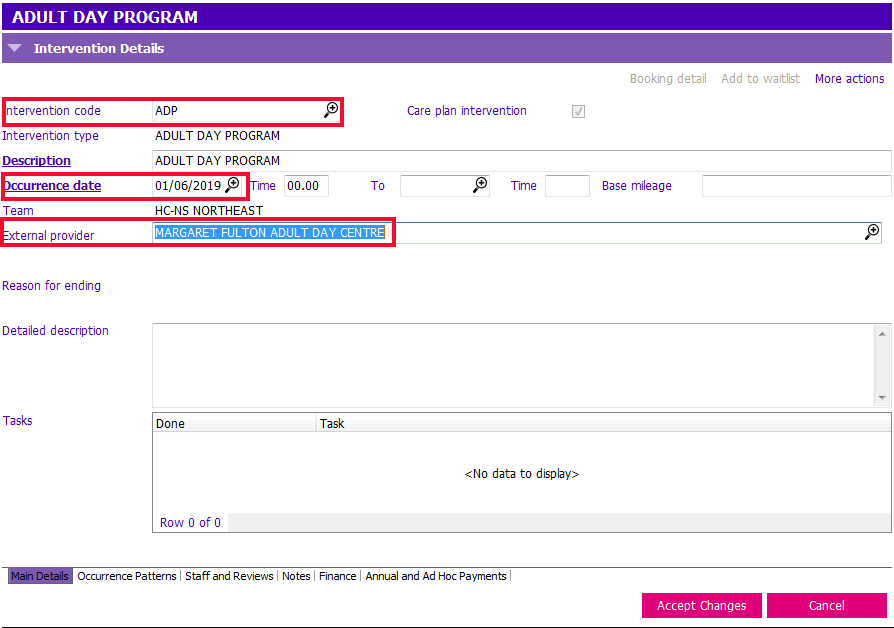
3. The Intervention Details window appears- Complete the following fields:
- Intervention Code: Click on the magnifying glass and search for Adult Day Program. The Intervention type and Description fields will auto-populate.
- Occurrence date: Enter the first day of the month.
- External Provider: Select the name of the Adult Day Program providing the service.
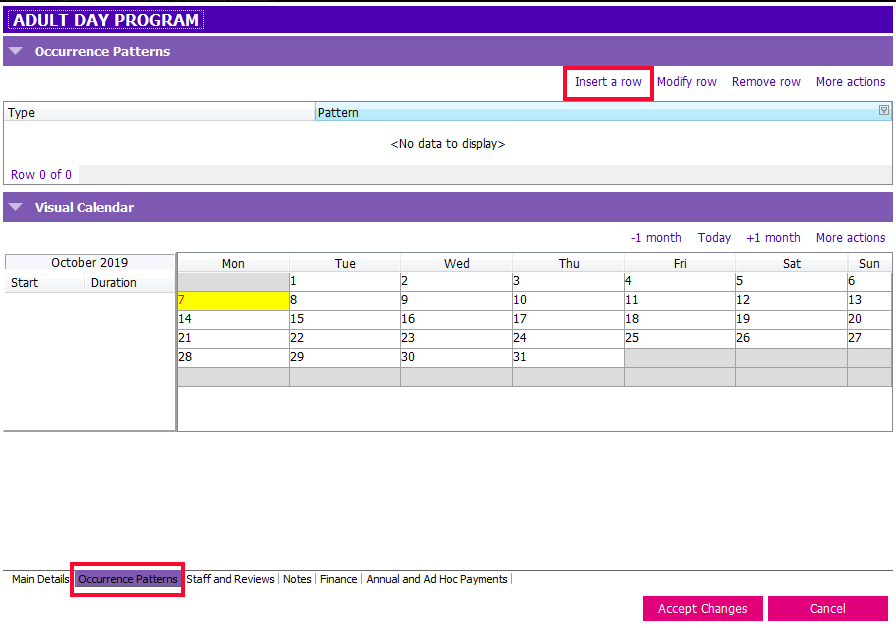
4. After entering the information, click on the Occurrence Patterns Tab at the bottom of the page and click on Insert a row.
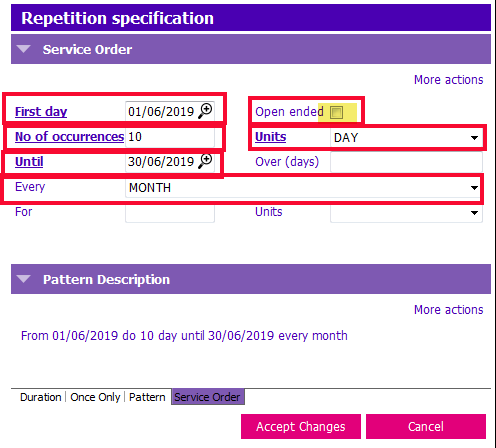
 5. Fill in the Repetition specification fields to exactly match the information found in the ADP attendance record.
- First day: Enter the first day of the month of which attendance is being recorded
- Uncheck the Open ended box
- No of occurrences: Enter the number of days that the client attended the ADP during the month.
- Last day: Enter the last day of the same month.
- Units: Use the drop down menu to change this value to DAY
- Every Change to MONTH
6. Click 
7. This screen will display:
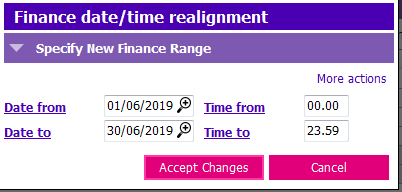
8. Click  >
> and Save.
Enter Subsequent ADP Service Orders
There should not be a second Intervention created against the ADP referral if one has already been entered. Instead of a new Intervention for the next month, service orders are entered against the existing Intervention. You can tell if an Intervention has already been created as it will appear blue rather than red.
1. Go to the Plan application and click on More Actions on the left side of the screen to expand the tree. Click on the Adult Day Program Referral (always work from the Referral View).
2. Existing Interventions may initially be hidden from view; Go to the Plan- Referral View section. Under the Historic Structure section click on Show historic. Existing Interventions will now appear in the Historic Structure view.
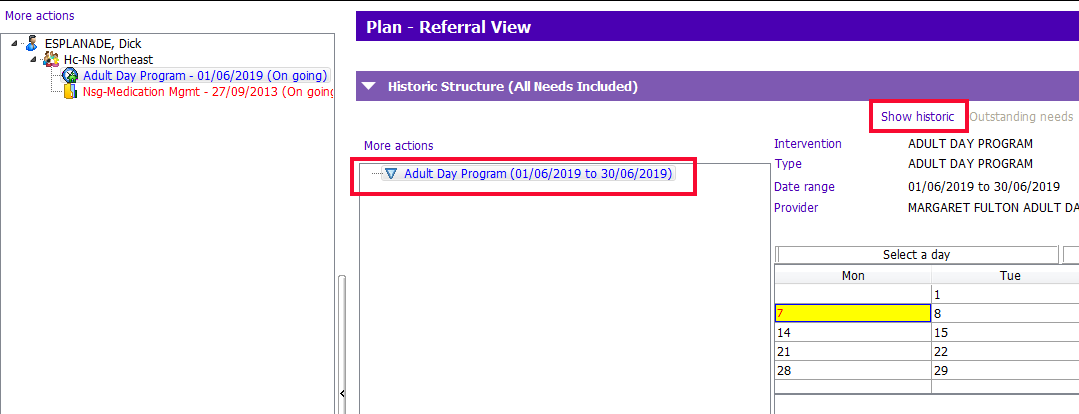
3. Highlight the Adult Day Program Intervention in the Historic Structure section and then click Modify.
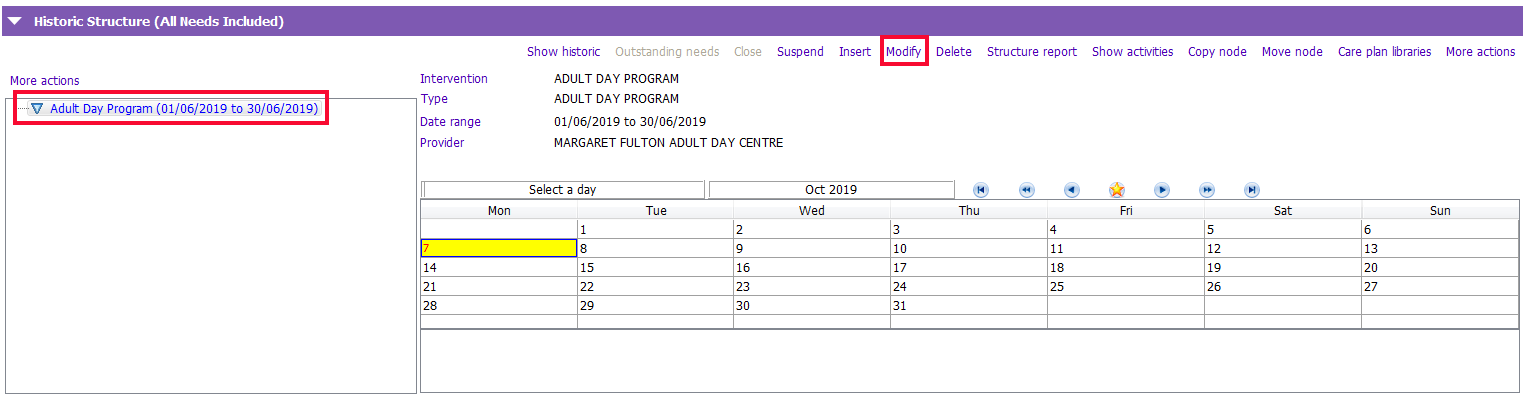
4. Click on the Occurrence Patterns tab at the bottom of the page. The Occurrence Patterns page will display. Click on Insert a row.
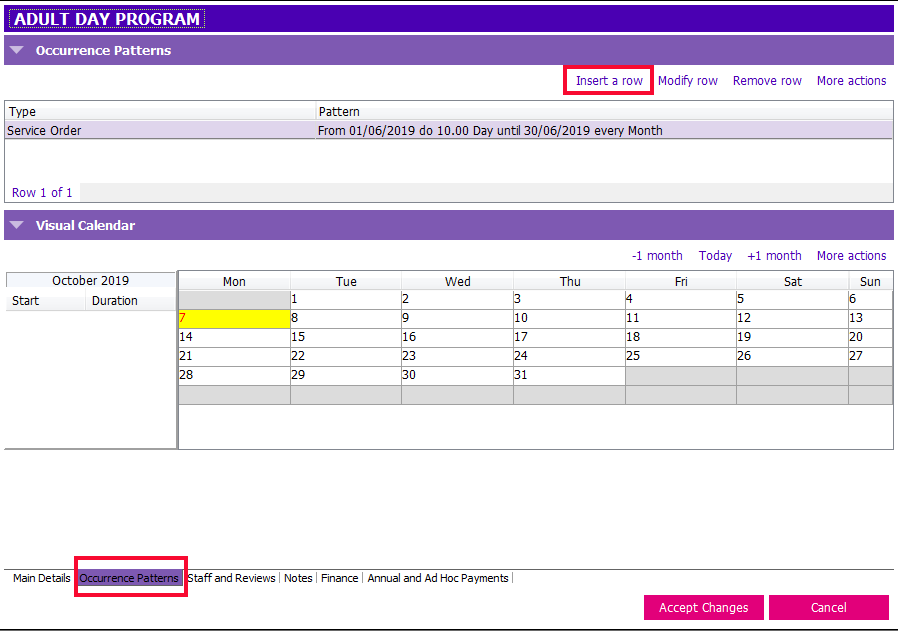
5. Fill in the Repetition specification fields to exactly match the information found in the facility attendance record.
- First, delete the date in the Until field.
- First day: Enter the first day of the month
- No of occurrences: The number of days that the client attended the ADP
- Last day: Enter the last day of the same month.
- Units: Use the drop down menu to change this value to DAY
- Every Change to MONTH