Options Tree
Sections
Parts of an Assessment
Grid Filters
Your program Guidelines tell you when and how to complete specific assessments.
Options Tree
The Assessments options tree is defaulted to collapsed as shown below. You need to expand the tree to locate the assessment you wish to view. Click the to expand each node, and select the appropriate assessment.
Expanding the Options Tree
To expand all levels in the options tree:
- Click 'More actions' above the Options Tree
- Select 'Expand all levels' in the drop-down
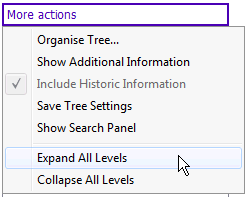
To expand individual levels in the options tree:
1. The Assessments Options Tree is set by default to display collapsed.
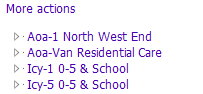
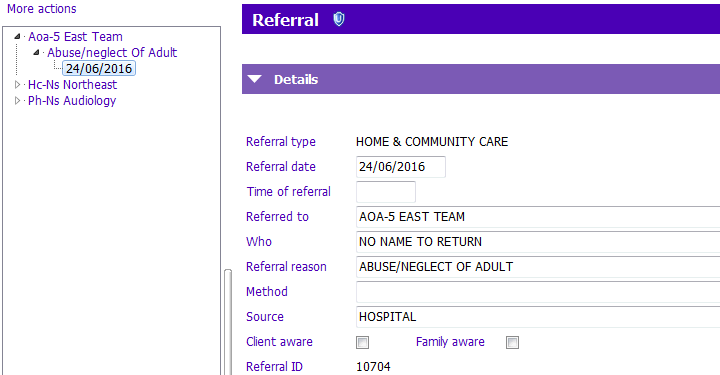
2. Click the beside the Team to expand and view the referral reasons made by the given Team.
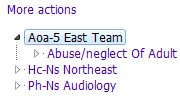
3. Click thebeside the referral reason you wish to view.
The dates when the referral was created display.
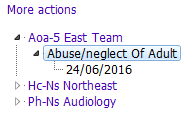
4. Click the date of the referral you wish to view.
The referral displays on the right
Sections
Assessments forms have a number of different sections.
- Sections are collapsed by clicking the Collapse
 arrow.
 - When a form section is collapsed, the title font is a lighter purple. Click the Expand
 arrow to expand the section.
Parts of an Assessment
PARIS Assessment forms can contain:
- Grids:
When a section has a grid format, the section Header will contain buttons similar to these:
- Click Insert a row to add information and Modify row to change grid information
- Click the View details to view information in a grid row
- Check boxes (Also known as Tick boxes):
Point and click on a check box to enter a check mark into the check box or press the spacebar when the focus is on the box. - Drop-down lists
- Narrative free text fields:
Click inside the field and type. Text fields will have a maximum number of characters. - Radio buttons:
Click the mouse on radio buttons to enter a response. - Tabbed sections/pages:
Most Assessments are divided into multiple pages and have labelled tabs at the bottom of each page. Click on the tabs to navigate through your Assessment.
Grid Filters
See Grid Filters article