Early Childhood Development (ECD) Assessment
Details Tab
Ecd Assessment Tab
Growth and Vital Signs Tab
Nursing Priority Screening Tab

The ECD Assessment is used by Public Health Nurses (PHNs) to document a clinical assessment on a client aged 6 weeks to 5 years old. Public Health Nursing assessments, interventions and documentation for children is guided by the VCH Early Childhood Development Nursing Care Pathway. Norms, normal variations and variances are identified and are to be documented in the PARIS ECD Assessment. Additional Screening Assessments may be needed e.g. ASQ/ASQ-SE and will be documented in the Assessment Tools Grid.
The PARIS ECD assessment will be used to document services that are both Universal and Enhanced. Please review the ECD Assessment Workflow (add link) to determine how to document either type of service a client is being assessed/screened for.
The form does not direct which assessment items will be addressed at each contact but facilitates documentation of those addressed. All assessment categories may not be assessed at each contact.
The Early Childhood Development Assessment has 3 tabs at the bottom of the form: Details, Ecd Assessment, and Growth and Vital Signs.
Details Tab
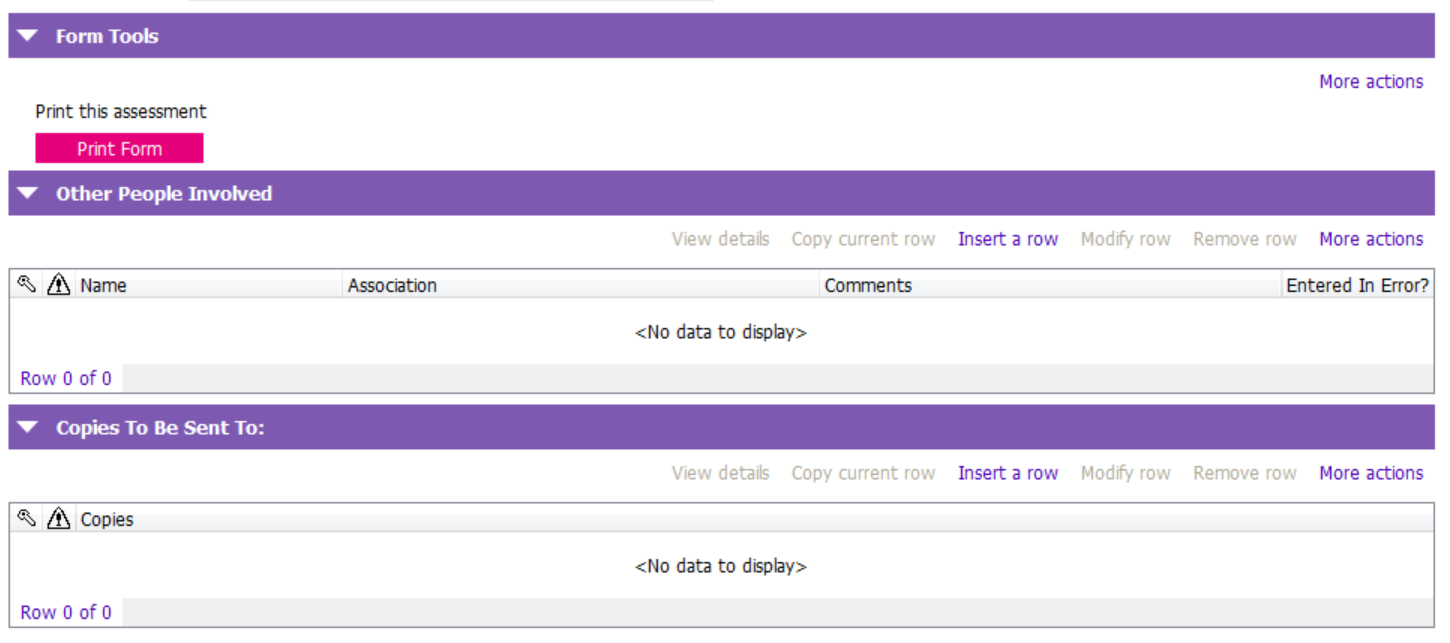
The Details tab contains the Header Details, Form Tools, Other People Involved and Copies To Be Sent To: sections.
The Header Details section captures the details of when the assessment was started, which team the assessment belongs to and who initiated the assessment.
The Form Tools section is used to print the entire assessment (including all assessment columns).
The Other People Involved and Copies To Be Sent To: sections are not used.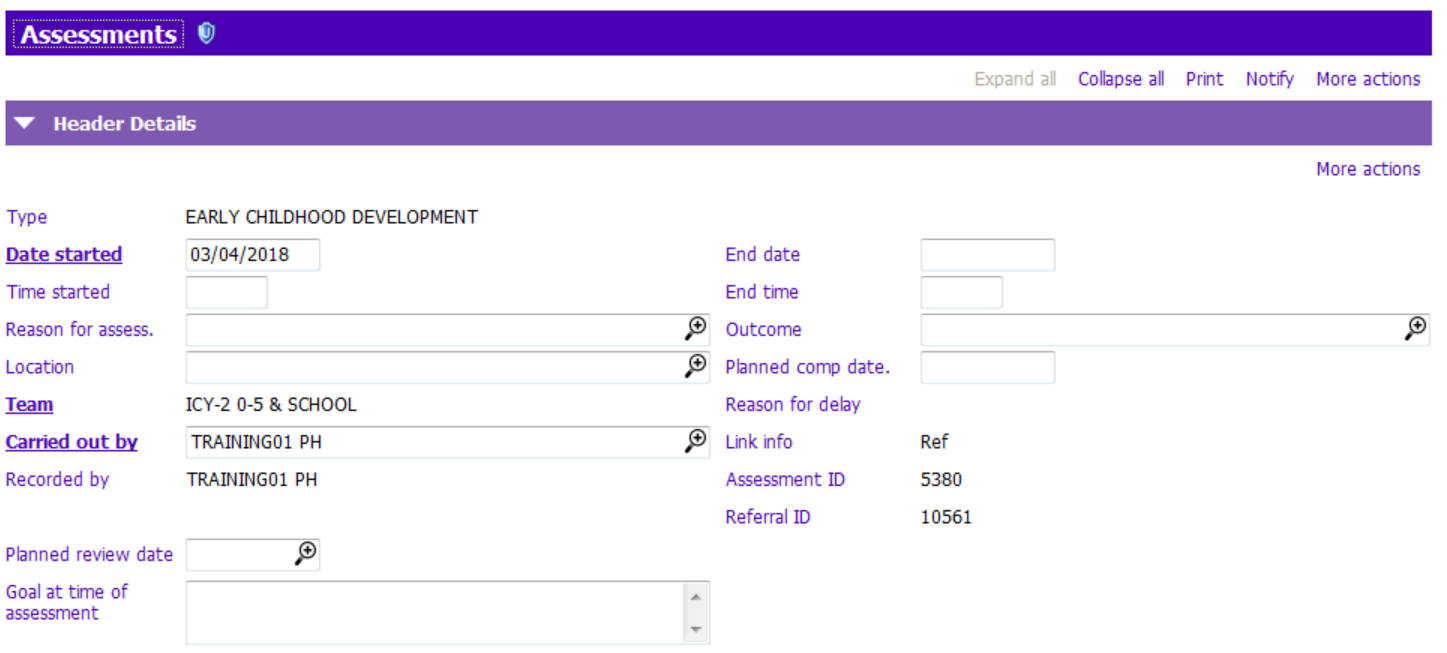
Ecd Assessment Tab
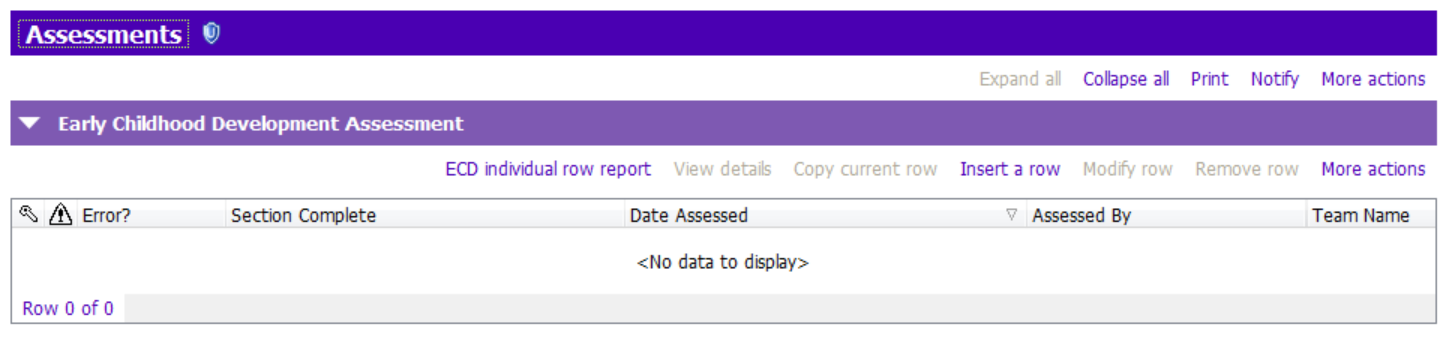
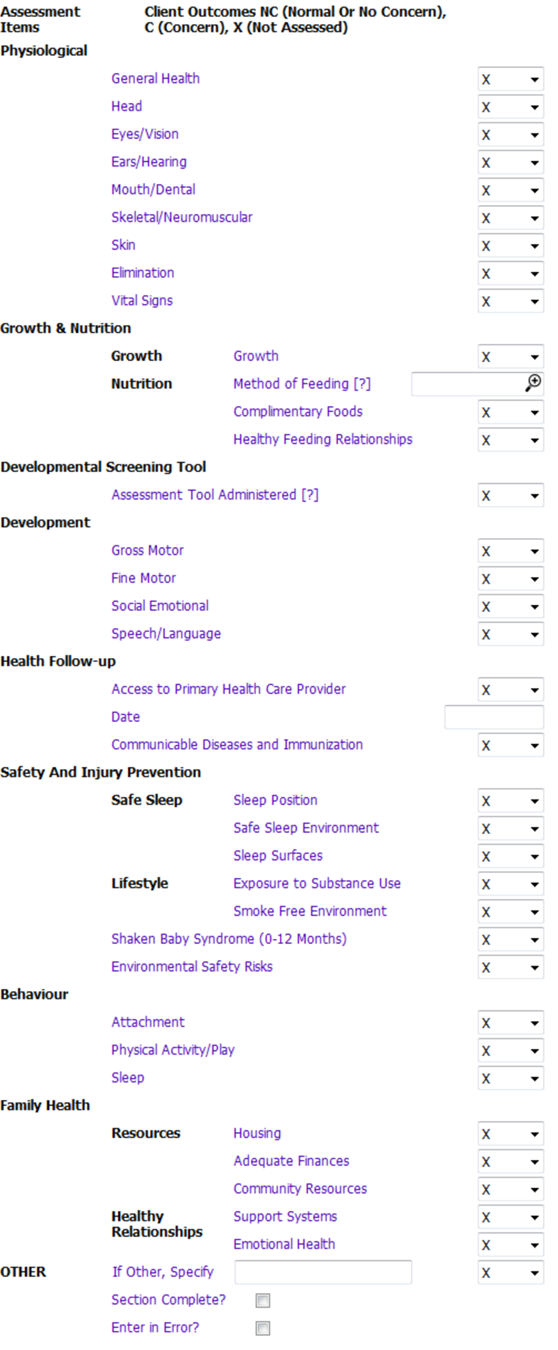
The Ecd Assessment tab is used to record all information collected when assessing or screening the client.
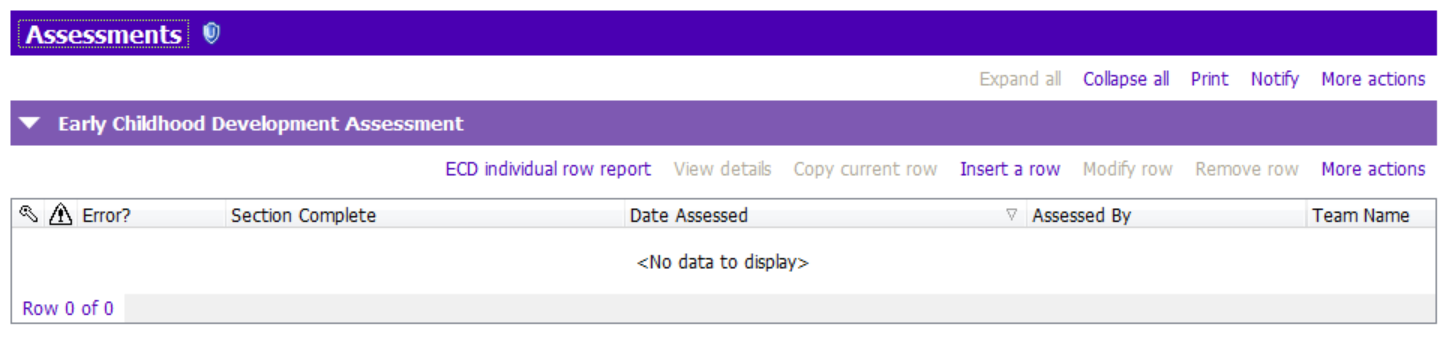
PHNs will insert a row to open up the assessment.
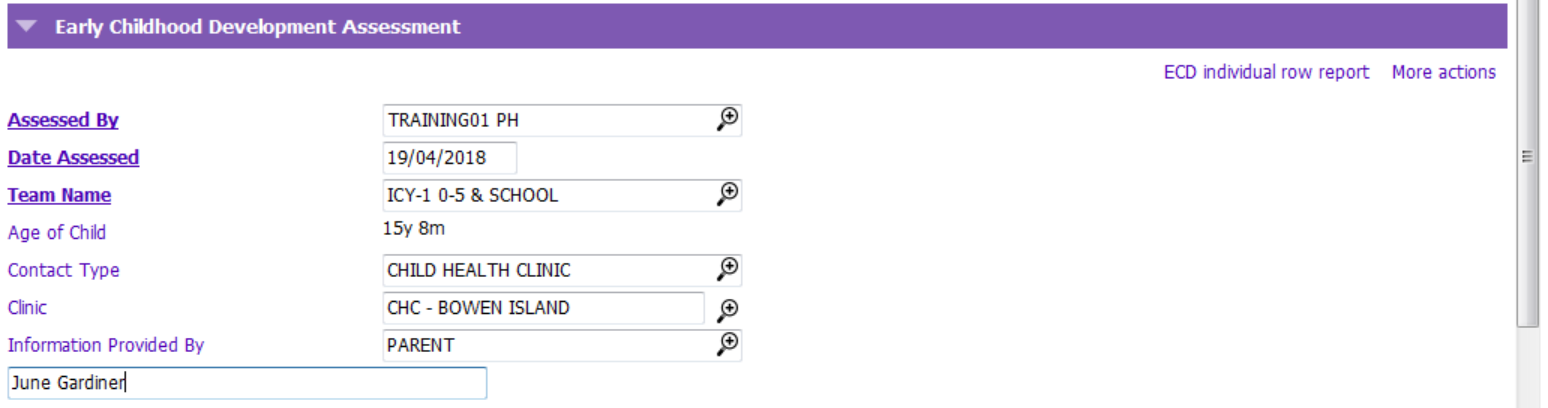
The Ecd Assessment will automatically populate the Assessed By, Date Assessed, Team Name and Age of Child. Staff will complete the Contact Type. The Location field will change to Clinic/Agency depending on the contact type chosen i.e Child Health Clinic, Facility Visit or Office Visit. Staff should indicate in the Information Provided By, who provided the assessment information e.g. name of Parent.
The PHN makes a nursing judgment for each assessment category assessed as to whether a concern or variance exists on that date
PHNs will complete assessment items by indicating NC (Normal or No Concern), C (Concern), X ( Not Assessed). The PARIS assessment will capture the 3 most recent completed assessments, regardless of which team documented on them. (screen shot with 3 assessments). If the PHN identifies a concern or variance for any assessment item, the specific assessment data regarding the nature of the concern will be documented in a casenote. The interventions completed regarding the concern and the PHN’s ongoing plan will also be documented in the casenote
ECD individual row report
The ECD individual row report can be generated to view/print a single assessment row.
PHNs can generate the report by clicking on the ECD individual row report button.
Growth and Vital Signs Tab
The Growth and Vital Signs tab contains the section which is used to record weight, height, head circumference and waist measurements for a client.
This section can be used to calculate weight loss, BMI, Waist-to-Hip Ratio as well as Growth Percentiles. See Paris User Help for Weight and Growth Chart information.
Relevant Information/Documents
ECD Assessment Workflow: Universal vs. Enhanced Services
ECD Field Definitions
ECD FAQ
VCH Universal Early Childhood Public Health Nursing Services
Assessment Tools Grid
VCH Early Childhood Nursing Care Pathway