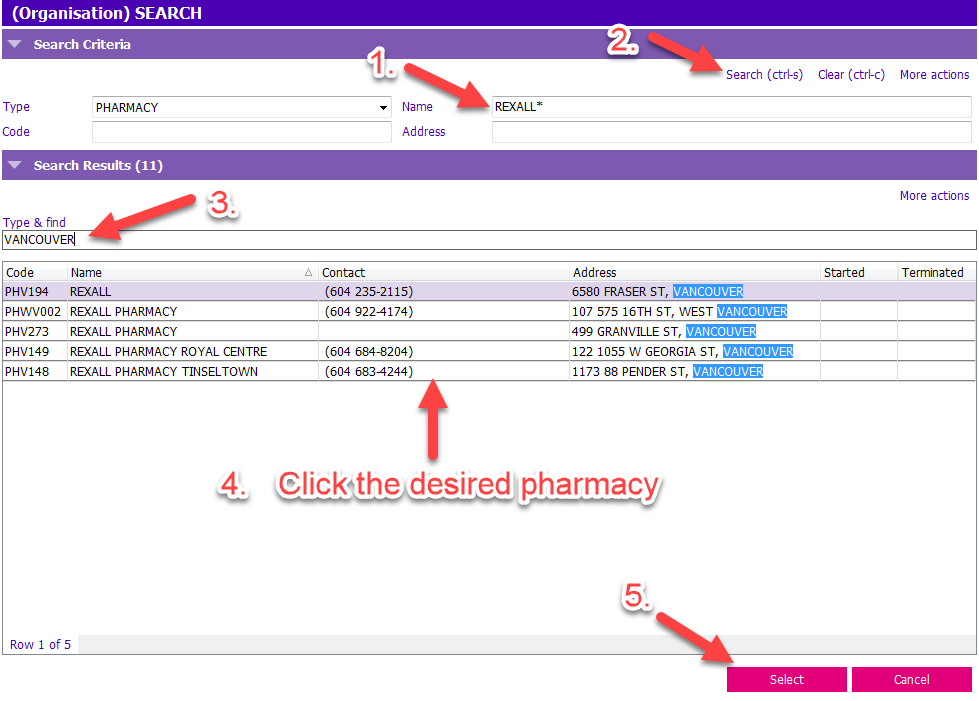
Diagram below corresponds to the steps
To stream line your pharmacy search:
1. In the Name Field, type in the name of your Store/Pharmacy with an ASTERICK * (i.e., REXALL*)
2. Click Search.
3. In the Type and Find field, add the city or other elements of the address such as street and plaza to narrow the search.
4. Click the desired pharmacy in the search results.
5. Click the Select button.