Correct Errors in Informed Consent Entry
Mark Informed Consent History as Entered in Error
NOTE: Any antigens that were not corrected in IC Entry are assumed to be correct. Once IC History is saved, the remaining consents, dissents, and deferrals that are current will be pushed into the grid row for the most current history record.
NOTE: If you try to mark the most current grid row in error as Entered in Error before correcting the error in IC Entry application, you will get a message reminding you to correct the consent in IC Entry first.
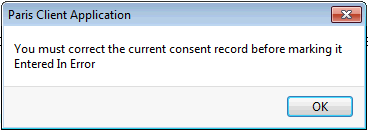
Correct Errors in Informed Consent Entry
1. Click on the Informed Consent Entry application, correct the consent record as appropriate and press F12 to Save.
2. Go to IC History and mark the incorrect entry as Entered in Error, see below:
Mark Informed Consent History as Entered in Error
1. Click on the Informed Consent History application.
2. The most current grid row will contain the corrected consent record.
3. Locate and click on the grid row for the session where the error was made.
4. Double click on the incorrect row, or select Modify row and the 'Consenter information - entry' window appear:
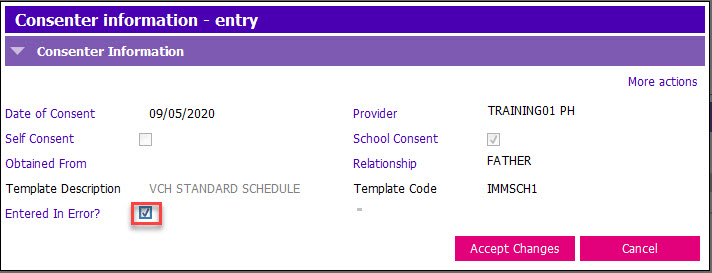
5. Tick the Entered in Error? tick box.
6. Click Accept Changes or press Enter. A "Y" will now appear in the Error? column.
7. Press F12 to Save.