If the client risk level changes or you receive more information, you can change the client priority. Home Health referrals can be reprioritized twice.
1. Navigate to the Referral Application.
2. Click on the Referral you need to reprioritize from the tree on the left hand side.
3. Scroll down the referral page and under the heading, locate the Reprioritization Details [TIP] section of the form.

4. Enter the Date Reprioritized (Note: ‘Ctrl-T’ will populate date field with today’s date).
5. Priority, Reason Reprioritized and Reprioritized By will now become mandatory fields.
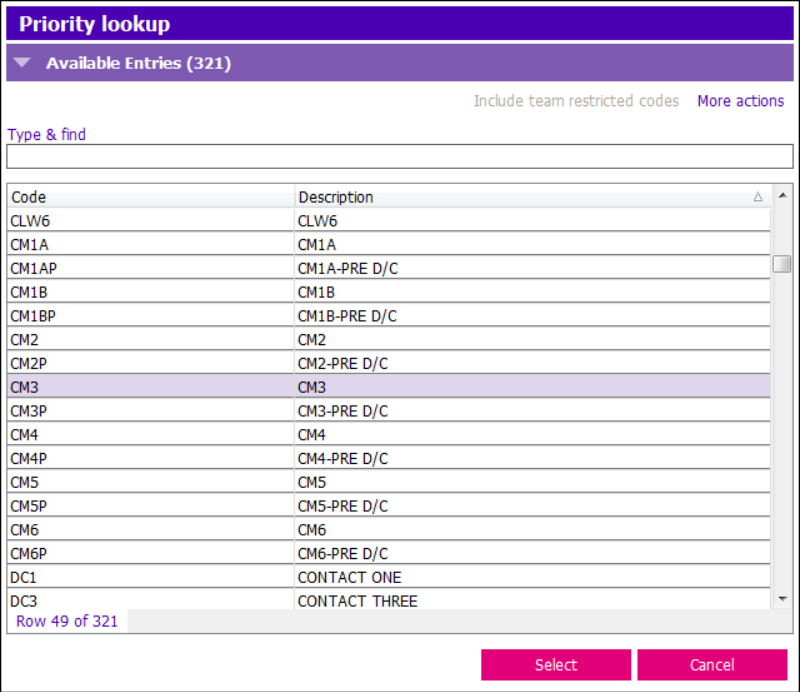
6. Enter an appropriate corresponding Priority in the picklist. (e.g. Referral for CM should have a CM priority 3 not a CM priority 1B).
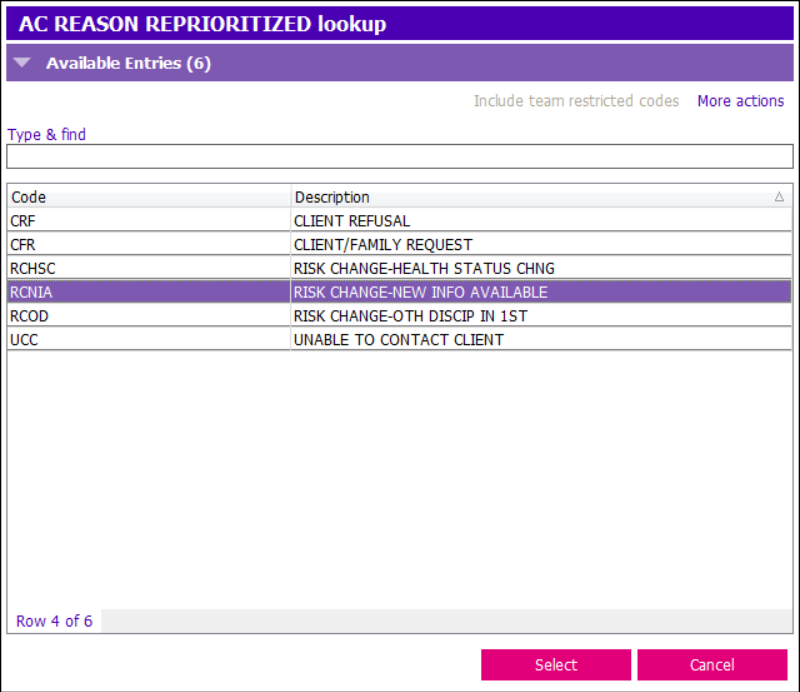
7. Enter in new Reason Reprioritized (e.g. Risk Change-New Info available)
8. Find your own name under Reprioritized By.
9. Save (F12).
Upon reprioritization, the referral priority in the Referral Details section gets automatically updated
10. A second set of reprioritization fields will appear after saving. You can reprioritize the referral again if needed.
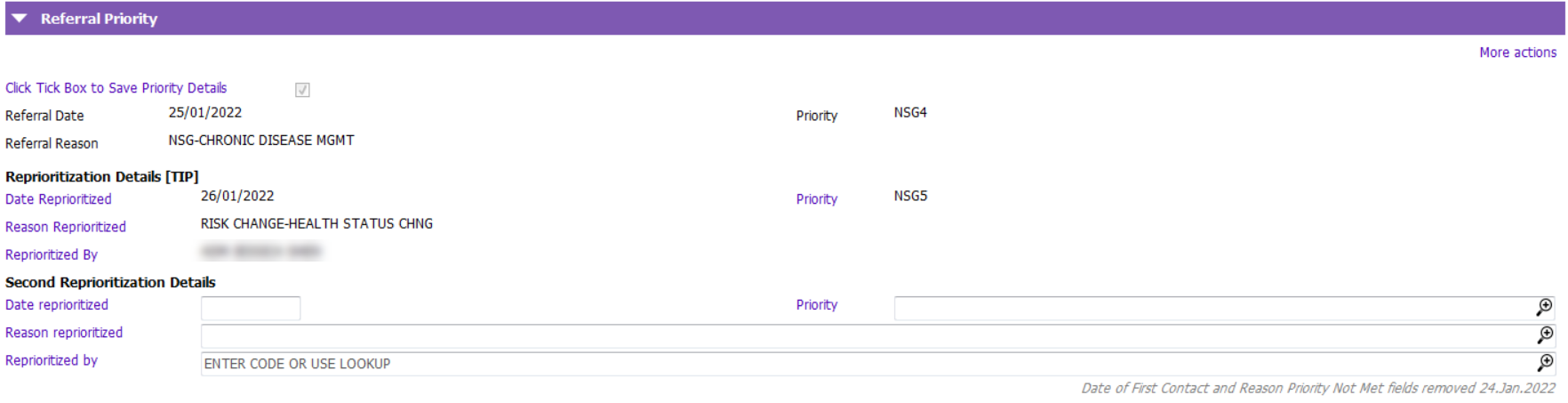
A refer can be re-prioritized up to two times.