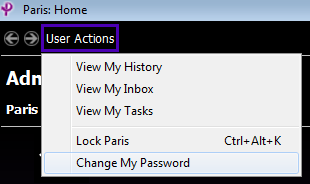
1. Click on User Actions located in the top left hand corner of the screen and select Change My Password:
2. The 'Change password' window displays:
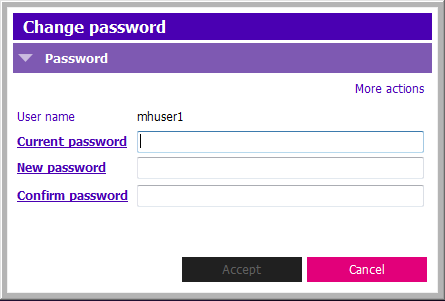
3. Your password must meet the following criteria:
- Needs to be a minimum of 8 characters
- Two of the 8 characters must be numbers
- Cannot start with a number
- Is not Case Sensitive (you don’t need a capital)
- Cannot contain special characters - #%}/
|
|
 PARIS Passwords: