To Upload a Document
To View a Document
Document Upload
Clinicians have the ability to upload pdf documents related to the assessment from their Home Directory (H:). Examples include: application form, letter of justification, etc.
 Maximum file size: 2 MB
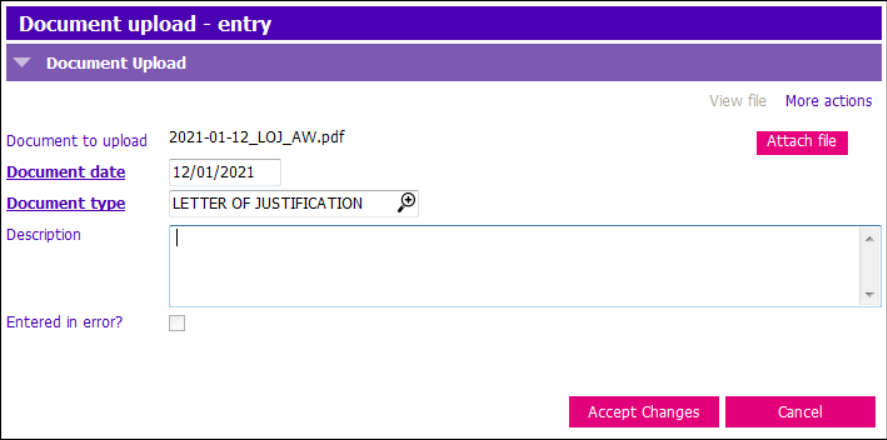
File names: the system does not allow duplicate file names. Please use the following naming convention: date, description of uploaded document, initials (e.g. 2021-01-12_LOJ_AW).
To Upload a Document:
1. Insert a Row
2. Click Attach File
3. Highlight the file in your H:. Click Open.
4. Document Date: enter
5. Document Type: select
6. Description: enter if required
7. Click Accept Changes
To View a Document:
1. Highlight the row in the grid
2. Click View file button. File will open.
OR
Click View Details or Modify row. Click View file button within the entry screen. File will open.
