Modify Immunization History
Delete Immunization History
Modify Immunization History
NOTE: You can modify all fields except Antigen. If you entered the wrong antigen you’ll have to remove the row and re-enter the information with correct antigen.
1. Click on and highlight the row you wish to modify.
2. Click Modify row and the 'Immunisation' window appears:
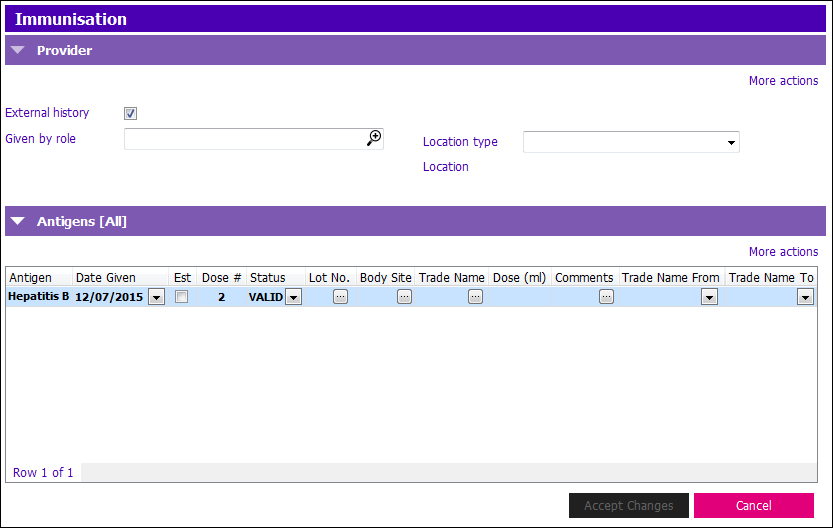
3. Make the appropriate changes. NOTE: You may make changes to any field(s) - except antigen.
4. Click Accept Changes, and the 'Reason For Change' window appears:
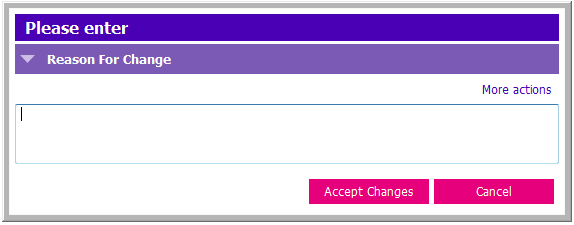
5. Enter a free text reason for the change(s) in the text box.
6. Click Accept Changes to return to Immunization History.
Delete Immunization History
With your client active: click on the Imms Entry (Ad Hoc) Application
1. Click on and highlight the row you wish to delete in the Immunization History grid.
2. Click Remove row and a Confirmation box appears:
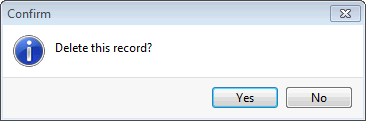
3. Click Yes to confirm.
4. A Reason for Change window appears:
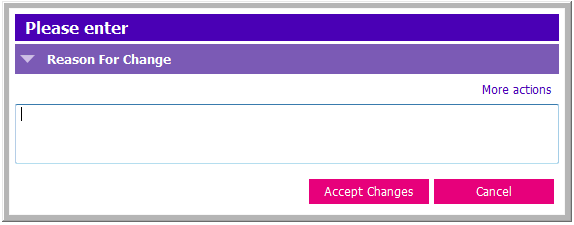
5. Enter a free text reason for the change(s) in the text box.
6. Click Accept Changes to return to the Immunization History.
7. Press F12 to Save.