
You can transfer a single client, multiple clients, or an entire caseload (Batch Transfer) from one clinician to another within the same team.
Step 1 and 2 are interchangeable
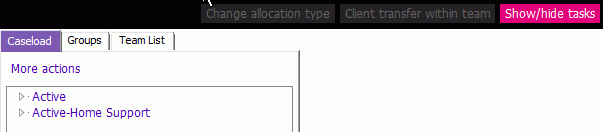
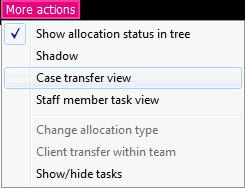
1. Click the  button on the Team Caseload application toolbar and select Case Transfer View.
 |
 |
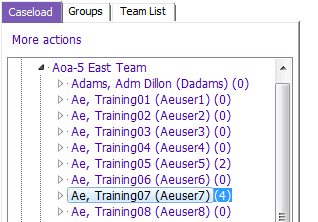
2. On the Caseload tab, expand the appropriate team list. Select the team and staff whose caseload you need to transfer FROM on the Options Tree.
3. A list of all the currently allocated clients displays on the right in the Case Transfer- Staff View section:
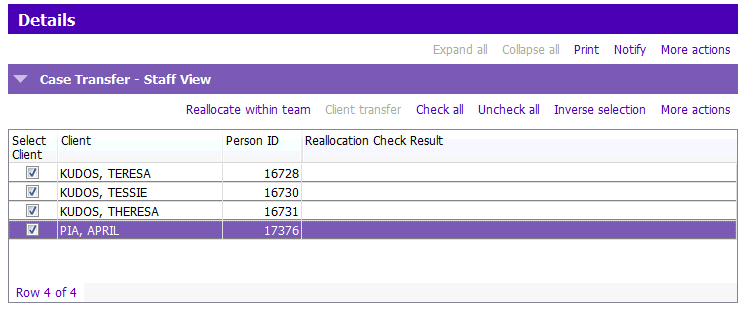
4. If you wish to select ALL clients, click on the Check All button. If not, select the specific clients by double clicking the check boxes individually.
5. Once you have selected the clients to be transferred, the Reallocate within team option becomes available. Click Reallocate within team.
7. The Transfer within team window appears. Fill in as appropriate.
NOTE: The default option is for PARIS to send a Notification to the newly allocated staff for each client they have just been allocated to. You may wish to remove the tick on the Notify staff of allocation box.
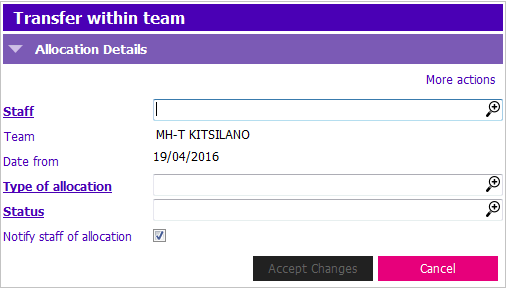
8. Complete the mandatory fields. Then click Accept Changes or press Enter:
- Staff: Click the
 and select the staff member who will receive the client(s)
 - Type of allocation: Click the and select the appropriate item from the picklist
- Status: Click the and select the appropriate item from the picklist
9. If the client has open assessments, the following popup appears.
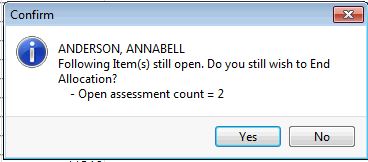
Click Yes or press Enter to confirm ending the allocation. If you are transferring multiple clients, this message may appear multiple times.
10. Check that the selected clients have been transferred to the correct team member.
|
NOTE: Clients will continue to display under the original user's name until the screen has been refreshed. Screen can be refreshed by either clicking the Close icon at the top of the screen, or clicking on Team Caseload in the Navigation tree again. All clients have now been reallocated to the staff you selected in the step above and the caseload for the former staff should be empty or have decreased by the number of clients you have reassigned. |