1. Select On Hold Referrals on the Team List tab in Team Caseload.
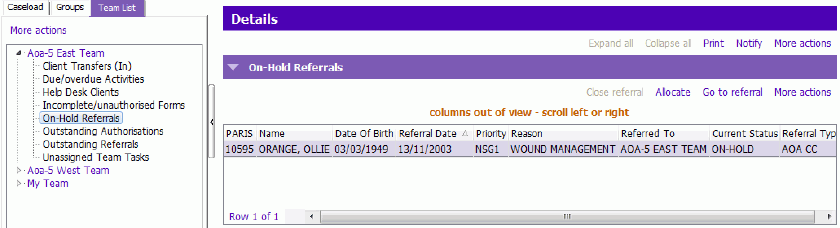
2. Click on the Referral in the On-Hold Referrals grid
3. Click Allocate
4. Select appropriate Staff from Staff picklist and update the following fields:
- Date: Correct defaulted date as necessary. This date should be the day immediately following the date the last Allocation was end dated so there is no gap in service.
- Type of Allocation: Select appropriate allocation type from the picklist
- 'Notify Staff of Allocation' check box: Is defaulted on but can be un-checked
- Authorized by: Enter your username
5. Press Enter, Referral will disappear from On-Hold Referrals grid
Remember, unless On Hold referrals are specifically part of your Teams workflow (very rare) On Hold Referrals should be checked on a regular basis to address On Hold Referrals.