PARIS has a duplicate check screen within the New Registration application to avoid the creation of duplicate records.
1. If a user tries to create a client in New Registration that has the same or a similar name as an existing PARIS client, on Save, the 'Duplicate Check Screen' appears.
2. The similar name will be highlighted in Search results pane. Check criteria to make certain this is a different client
If this is NOT the same client:
3. Click Cancel to close the screen. A confirmation box will appear “Are you sure you want to ignore the duplicates and create a new person?"
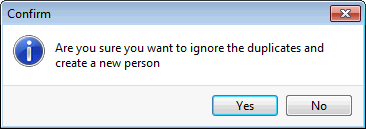
4. Click Yes. You will return to Creation screen. Continue registering your client.
If this IS the same client:
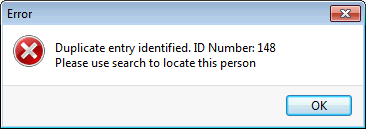
5. Click on the client in the Search Results sections and click Select. An error message will appear:
6. Click Cancel and a Confirm window will appear asking if you want to 'Cancel changes to Personal Details?'.
7. Click Yes.
8. Now click on the Search for Person button at the top of the screen and enter the PARIS ID that was given in the Error message above, to access that client.