Check for Images and Excessive Text is a safeguard that prevents content from being saved in PARIS that cannot be printed. This means that documents printed from PARIS will match what is viewable on screen.
You are notified if you try to save content that cannot be printed from PARIS.
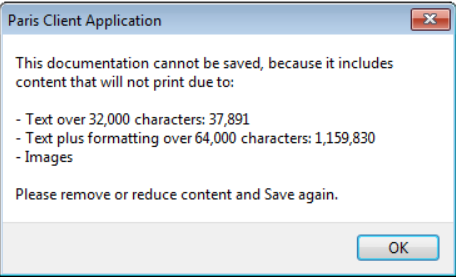
Once you remove or reduce content as directed (images, large amounts of text, large amounts of formatting) you are then able to save your documentation.
Check for Images and Excessive Text is active in free text fields of Casenotes and Assessments.
Steps to remove/reduce content:
1. Remove ALL images, including logos, PDFs, and small images in email signatures
2. Remove all large tables
3. Remove any text that is longer than 8-10 single-spaced pages in Word
It is unlikely that this much text is needed in one field. If needed, it may be appropriate to split the content into more than one field (assessments) or into more than one casenote. Consult your clinical lead or CSSE as appropriate.
4. If copying content into PARIS from another source (email, Care Connect, etc.) copy it into Notepad first to strip formatting, then copy it from Notepad into PARIS
5. If you are still unable to save, contact your CSSE or PARIS Support