1) Click on Reports on your PARIS Home Screen.
2) In the Search Section, search for “team_dl”.
3) Run the Team Delegate List Report for the team.
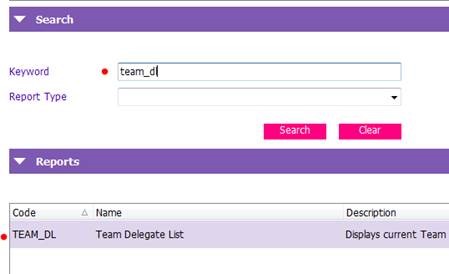
This will give an up to date list of who can add and remove people from the team as well as who can make someone else a delegate.
For More Information
Scroll to the top to see the list of other Articles in this section
Related Links
LearningHub
VCH PARIS Team Management - Remove From Team - All Staff
VCH PARIS Team Management - Team Delegates