Modify Immunization Alert
End an Immunization Alert
Modify Immunization Alert
To modify an immunization alert, click on the row you wish to modify to highlight it.
2. Click Modify row and the 'Alert' window appears:
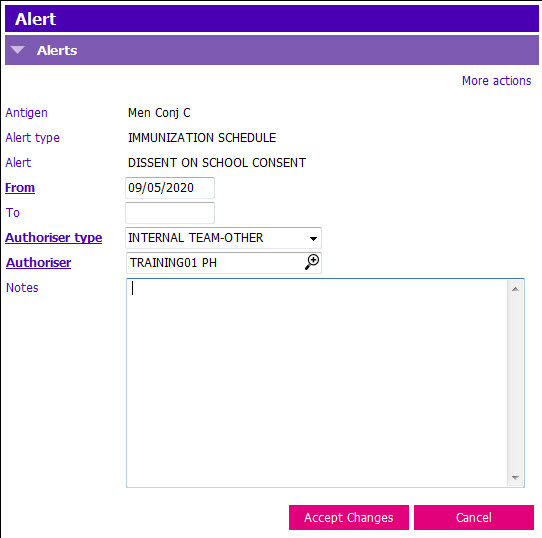
3. Update details as required.
NOTE: The only details that can be changed are: From, To, Authoriser type, Authoriser, and Notes
4. Click Accept Changes and F12 to Save.
End an Immunization Alert
To end an immunization alert, click on the row you wish to end, to highlight it.
2. Click Remove row and the Alert window appears: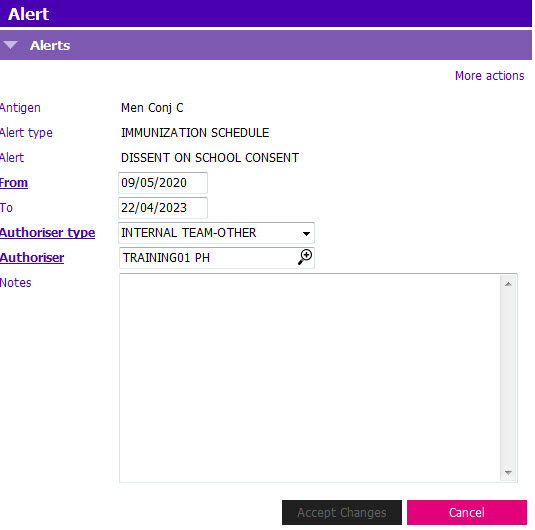
3. To remove the Immunization Alert, Update the To field:
- To: Enter the date the Immunization Alert is valid to
4. Click Accept Changes and F12 to Save.